
2.36.24
My Tasks
The forms that processes are waiting for you to fill in. A process that needs a person, to check a claim or to add what a robot couldn't find, gives that person a task: a form, with what the process knows already filled in. The run waits until the form is submitted. This page lists your tasks, and opens each one's form.
How to get there
- From the main menu: Spider › My Tasks.
- From a link to one task: an address ending in
/my-tasks?task=and the task's key opens this page with that task's form already open. A process can send such a link to the people it gives the task to.
Permission
To open the page you need Member or View tasks for the whole organization. To submit a task's form you also need Member: with View tasks alone you can read a form, but its submit buttons are not shown.
Which tasks you see doesn't depend on a permission. The list shows only the tasks given to you: to you yourself, or to a group you belong to. Nobody sees the tasks given to others, not even an administrator. See Permissions.
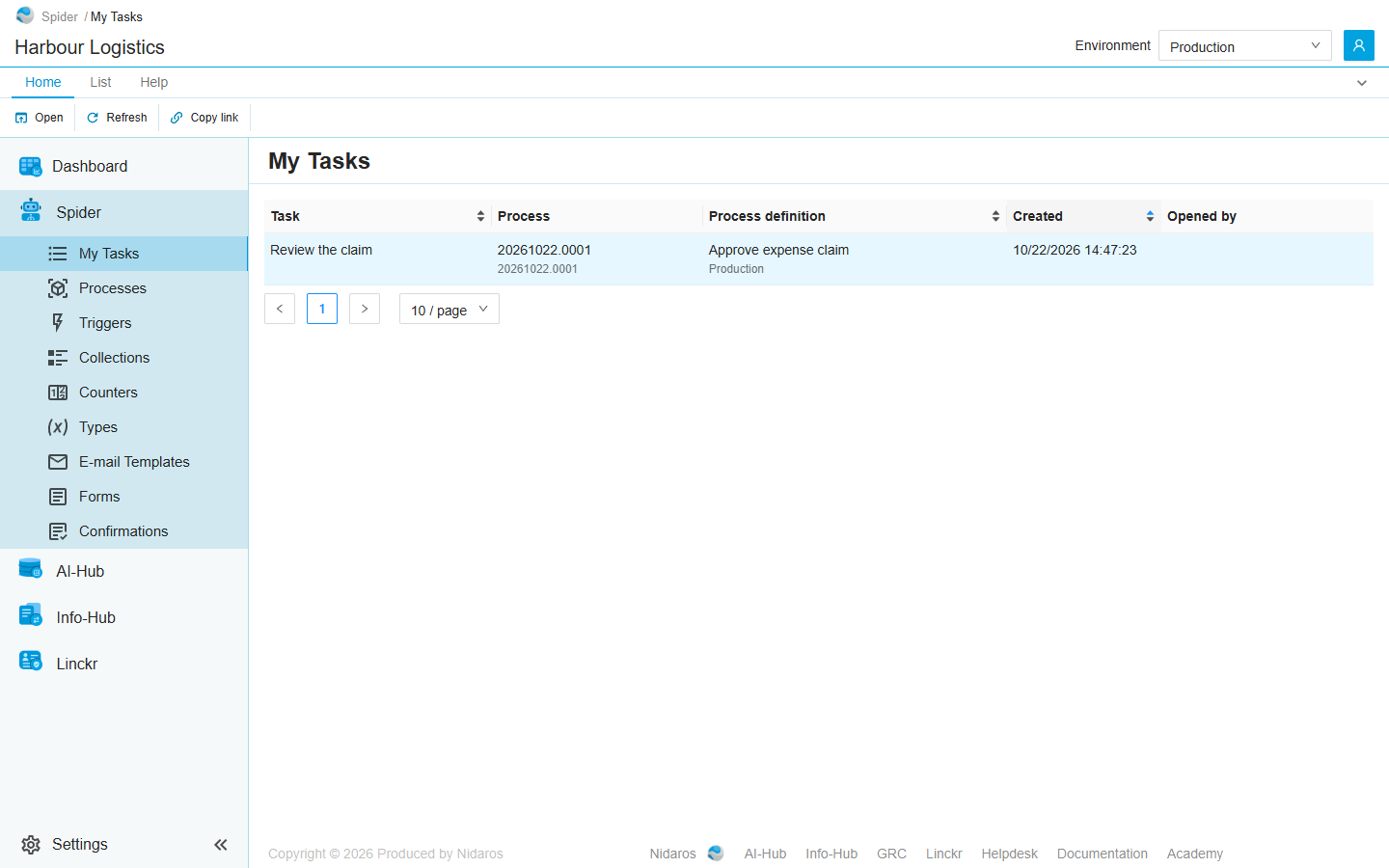
The list
Your open tasks, oldest first, of the runs in the environment selected in the header. With All environments it shows the tasks of every environment (see Environments).
| Column | Shows |
|---|---|
| Task | The task's name: the name the form task has in the process. |
| Process | The run that waits for the task: its name, with its reference below it. |
| Process definition | The process the run is of, with the run's environment below it. |
| Created | When the task was given. |
| Opened by | Who has the task's form open right now: You, or the e-mail address of someone else. Empty when nobody has. See One person at a time. |
Sort the list on Task, Process definition or Created by clicking the column header.
Double-click a task, or select it and click Open, to fill in its form. Enter opens the selected task too.
A task given to you while the page is open joins the list by itself, and a task someone else submitted leaves it.
A task given to a group is on the list of everyone in the group. The first person to submit it does it for all of them: it then leaves everyone's list.
Commands
| Tab | Group | Command | What it does | Disabled when |
|---|---|---|---|---|
| Home, List | Open | Open | Opens the selected task's form. | Nothing is selected. |
| Home, List | View | Refresh | Reads the list again. | |
| Home | Share | Copy link | Copies the link to this page. |
The task's form
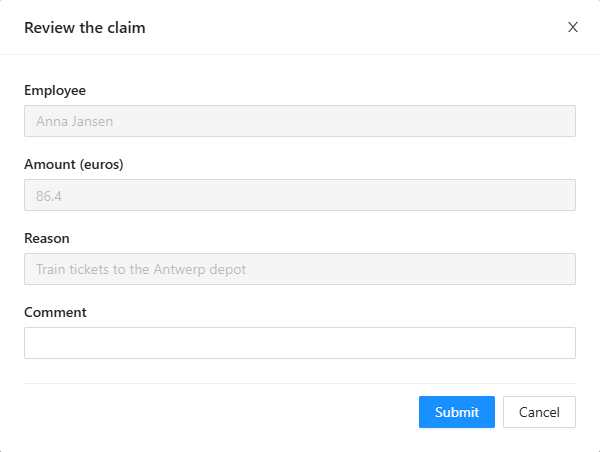
The form opens in a dialog titled after the task, at the width its designer gave it. Fields the process filled in for you to read are grey; fill in the others.
Its buttons are at the bottom, as the process's designer set them up. There is always a button that submits and one that doesn't, usually Submit and Cancel, though they may be labelled otherwise and there may be more. A form in steps has Previous and Next, and shows its submit buttons on the last step.
- A button that submits sends the form: The task was submitted. The task leaves the list, and the run goes on with what you entered. When the process refuses a value, the message says why and the form stays open, with what you entered, to try again.
- Any other button, the dialog's ×, and Escape close the form without keeping anything you typed. The task stays on your list, and the run keeps waiting.
A form can show files and documents the process has, such as the scan of a receipt, and ask for files of its own. Building forms is described in Part II.
One person at a time
While you have a task's form open, nobody else can open it. The others see your e-mail address under Opened by, and when one of them opens the task anyway, Spider tells them:
- Task is locked: <your e-mail address> has this task open. It stays locked until at least <a time>.
The lock is yours for as long as the form is open. Closing the form, or leaving the page, gives it back at once. If your browser closes, or your computer sleeps, with the form open, the lock lapses by itself within two minutes.
If you lose the lock while the form is open, for example because your computer slept and someone else opened the task meanwhile, the form closes: The task was closed, because its lock was lost. What you typed is not kept.
When a task is gone
A task can end while it is on your list: someone else in the group submitted it, or the run was aborted or the form task cancelled. Opening it then says This task is no longer available, and the list is read again.
Related chapters
- Process run: a run that waits for a task has the status Waiting for a form.
- Process definition: the forms a process has.
- Triggers: a form that starts a process, rather than one a running process waits for.
- Environments
- Lists