
2.36.24
Milestone Icons
The icons a process's milestones are drawn with, in the run's milestone bar and in the designer. One set of icons serves every organization. You add icons here, change them, and disable those that shouldn't be used any more.
How to get there
- From Administration's Settings: Milestone Icons, in the Spider group.
Permission
The page needs View milestone icons, which opens an icon read-only. Add milestone icon, changing an icon, Enable and Disable need Manage milestone icons. Both are in the Milestone icons section of Administration's Permissions, and Full access allows them. See Permissions.
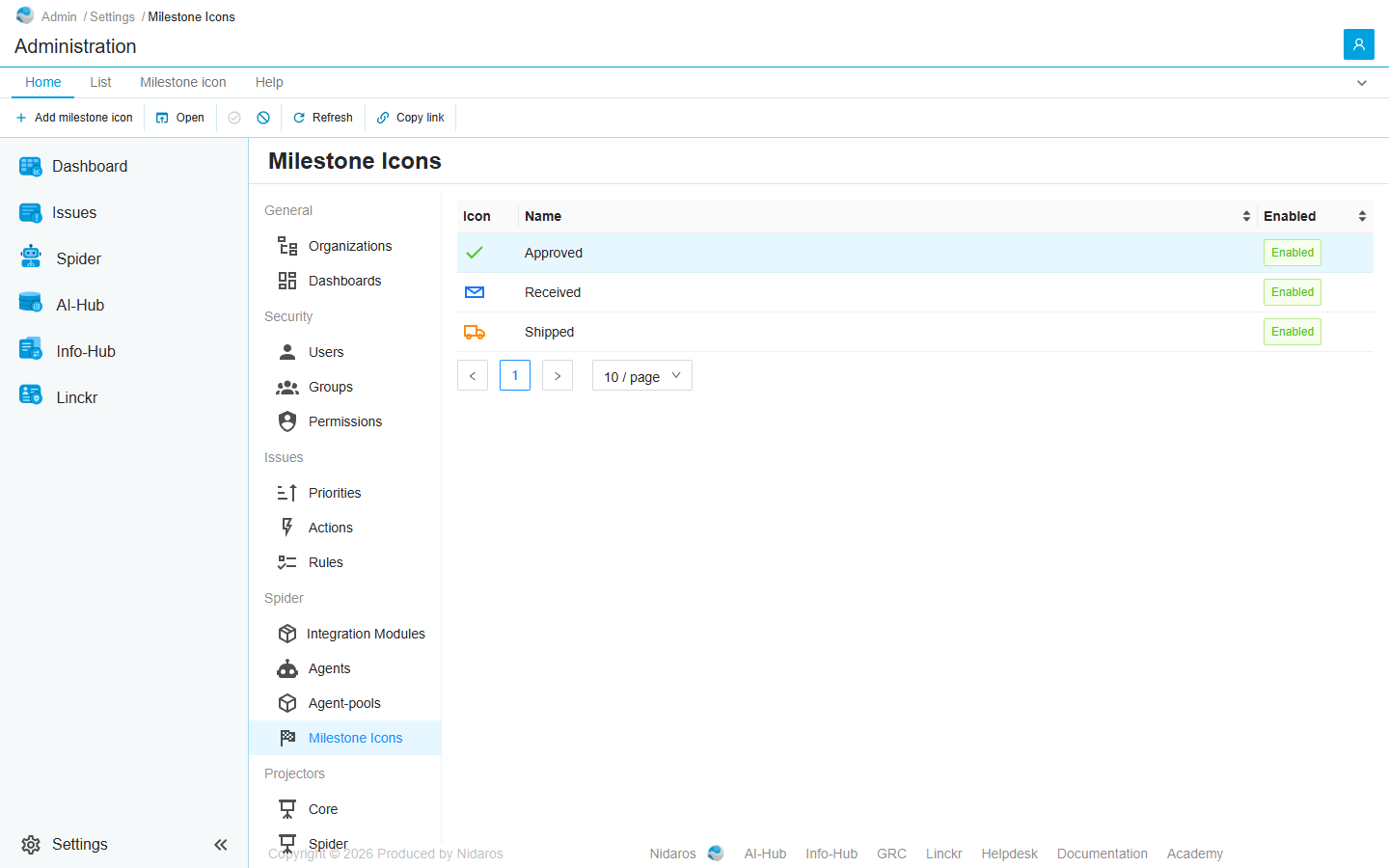
The list
| Column | Shows |
|---|---|
| Icon | The icon, in its default colour. |
| Name | The name a milestone's icon picker shows it by. |
| Enabled | Enabled, or Disabled. |
Click Name or Enabled to sort. Double-click an icon, or select it and click Open, to see it or change it: see Milestone icon.
An icon is never deleted, only disabled. A disabled icon is no longer offered for a new milestone, but a milestone that has it keeps it, and shows it as before; the designer's picker names it … (disabled).
A change reaches every milestone. A milestone keeps only which icon it has, and its own colour. So a new picture or name shows at once on every process and run that uses the icon. A new default colour doesn't: it is only the colour a new milestone starts with.
Commands
| Tab | Group | Command | What it does | Disabled when |
|---|---|---|---|---|
| Home, List | New | Add milestone icon | Adds an icon: see Milestone icon. | |
| Home, List | Open | Open | Opens the selected icon. | Nothing is selected. |
| Home, Milestone icon | State | Enable | Enables the selected icon. | Nothing is selected, or it is enabled already (This icon is already enabled). |
| Home, Milestone icon | State | Disable | Disables the selected icon, after asking. | Nothing is selected, or it is disabled already (This icon is already disabled). |
| Home, List | View | Refresh | Reads the list again. | |
| Home | Share | Copy link | Copies the link to this page. |
Drawers and dialogs
Milestone icon
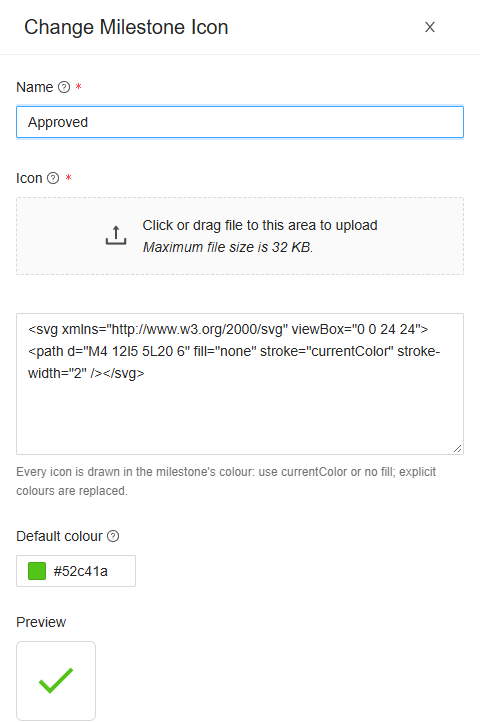
Titled Add milestone icon, Change Milestone Icon, or the icon's name when you may only read it.
- Name: the icon's name, at most 100 characters. Two icons can't share one.
- Icon: the picture, as SVG. Drop or pick an
.svgfile of at most 32 KB, or paste its markup in the box below, where you can still change it. - Default colour: the colour a milestone with this icon starts with, as
#rrggbb. - Preview: the icon as milestones will draw it, once it is accepted.
Click Add or Change, or Cancel. When the icon can't be saved, Spider says why.
What an icon may hold. An icon is a plain, single-colour shape:
- Only the shapes
path,circle,ellipse,rect,line,polylineandpolygon, in groups (g), withdefs,clipPath,titleanddesc. Anything else, such as a script, a style, an image or a gradient, refuses the whole icon, and the box says which element. - The
<svg>needs aviewBox, or a width and height to make one from. - Every colour is replaced by the milestone's: Every icon is drawn in the milestone's colour: use currentColor or no fill; explicit colours are replaced.
- Attributes that aren't needed for a shape, such as
styleorclass, are dropped.
Disable Milestone Icon
Are you sure you want to disable this milestone icon? It is no longer offered for new milestones, but keeps showing wherever it is already used. Click Yes to disable it, or No.
Related chapters
- Designer: giving a process milestones.
- Process run: where a run shows its milestones.