
2.36.24
Language
Spider speaks English and Dutch.
Choosing your language
Click the profile button at the top right of the screen. Under Choose your language:, pick English (United States) or Nederlands (Nederland):
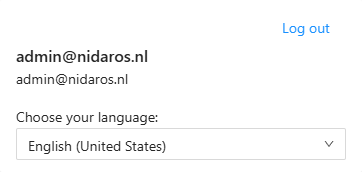
Spider reloads the page in that language straight away.
When you sign in, Spider starts in your browser's language: Dutch when the browser prefers Dutch, and English otherwise. Your choice in the profile panel then holds in this browser until you next sign in.
What changes with the language
- Every label, message and tooltip of Spider's own screens.
- Dates and numbers, which are written the way the language writes them. In English a date reads 10/22/2026, in Dutch 22-10-2026.
What does not change:
- What you and your colleagues entered: the names of processes, triggers, collections and so on, the text of e-mail templates, and the values in runs.
- The names of the Nidaros products in the main menu and the footer: Spider, AI-Hub, Info-Hub and Linckr.
- Microsoft's sign-in pages, which Microsoft shows in a language of its own choosing.