
2.36.24
Overview
The organization itself: its name, the slug in its addresses, where its support e-mail goes, its owner, and how much data it holds. This is the page Settings opens on, and the one settings page every member of the organization can see.
How to get there
- From the main menu: Settings, at the bottom. It opens on Overview, the first item of the settings menu's General group.
The settings menu
The settings have a menu of their own, on the left of every settings page. It shows only the pages you may open; a group with none of them is left out.
| Group | Page | What it holds |
|---|---|---|
| General | Overview | This page. |
| Dashboards | The organization's dashboards: see Dashboards. | |
| Security | Users | Who belongs to the organization: see Users. |
| Groups | The groups those users are in: see Groups. | |
| Permissions | What each user or group may do in the whole organization: see Permissions. | |
| Spider | Environments | See Environments. |
| Connections | The logins and settings of the systems processes work with: see Connections. | |
| Proxy Forms | The forms of the previous Spider: see Proxy Forms. | |
| Integration Modules | The modules whose activities the organization's processes use: see Integration Modules. | |
| Agent-pools | The organization's own agent-pools: see Agent-pools. |
Permission
Every member of the organization may see this page: Member includes it, and so does View organization settings. Changing the organization needs Manage organization; without it, the fields are read-only and the ribbon has no Save. See Permissions.
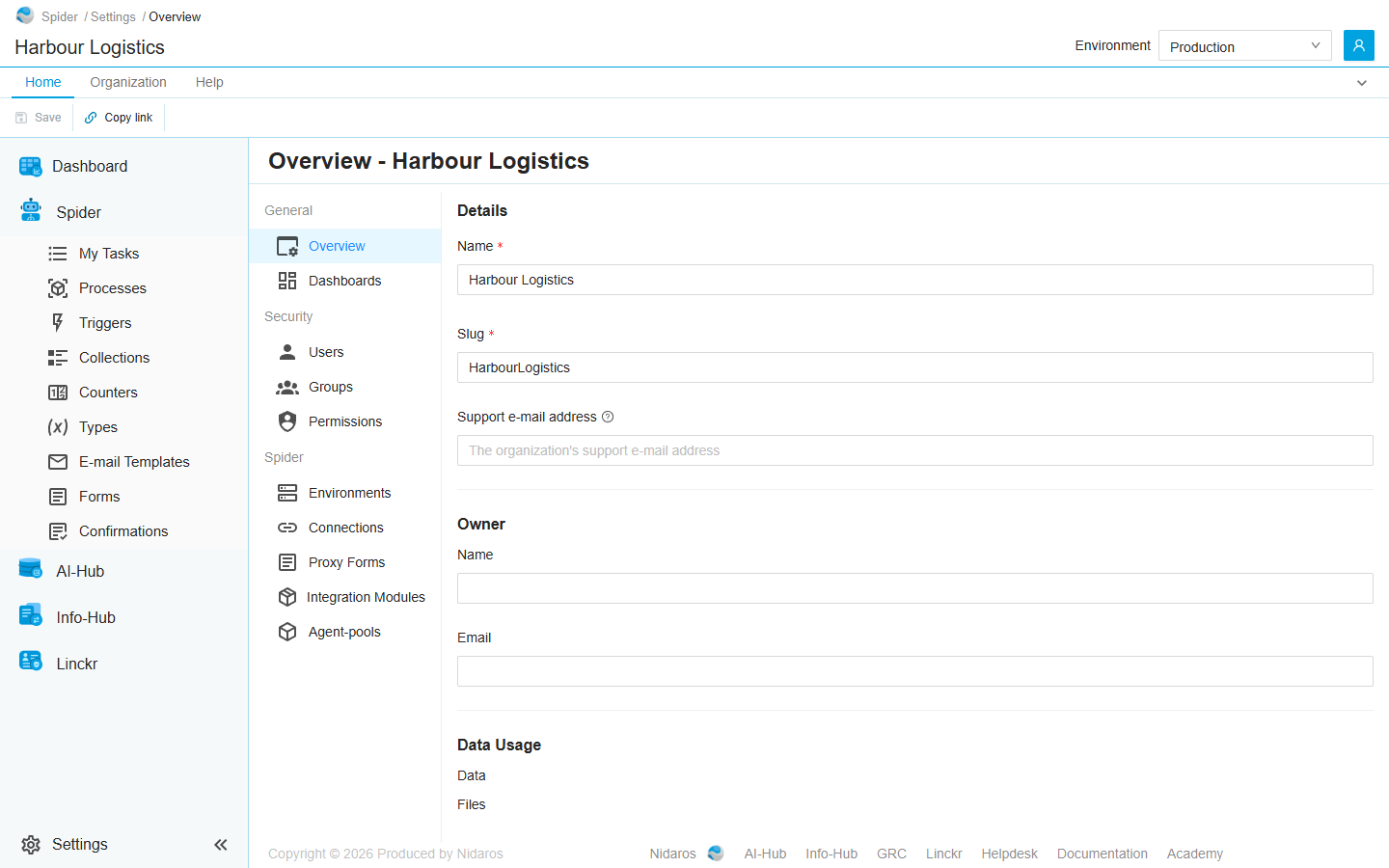
The page
Details
- Name: the organization's name, as the header shows it. At most 24 characters.
- Slug: the organization's name in every address of its pages, such as
/HarbourLogistics/processes. At most 24 characters: letters, digits and hyphens. - Support e-mail address: where support e-mails about this organization go. An issue's e-mail action can send to it.
Change them and click Save. Saving a new slug moves you to the page's new address. Every link that holds the old slug stops working, bookmarks and links in e-mails included, so change it only when you have to.
Owner
The Name and Email of the organization's owner, read-only. The owner is set by a global administrator, in Administration.
Data Usage
How much the organization holds: Data, its database, and Files, the files it keeps, such as those of its runs. The figures load after the rest of the page.
Commands
| Tab | Group | Command | What it does | Disabled when |
|---|---|---|---|---|
| Home, Organization | Save | Save | Saves the details. | Nothing has changed (Nothing has changed), or a field is empty or not valid (Some fields are empty or not valid). |
| Home | Share | Copy link | Copies the link to this page. |
When the organization changes elsewhere
When someone else changes the organization while you have this page open, a banner says so, and your changes stay in the form until you reload. When you may not change the organization, the page shows the new values by itself. See Changed elsewhere.
Related chapters
- Permissions: who may change the organization.
- The screen layout