
2.36.24
Integration Modules
The integration modules the organization has activated. A module brings activities, triggers and connection types: the Spider module, for instance, has the activities on collections, counters and the run itself, and Graph.Email the e-mail trigger and its connection. The designer offers the activities of the activated modules only.
How to get there
- From the main menu: Settings › Integration Modules, in the Spider group.
Permission
The page needs Manage organization, which also allows Activate module. Uploading a module is a global administrator's, in Administration. See Permissions.
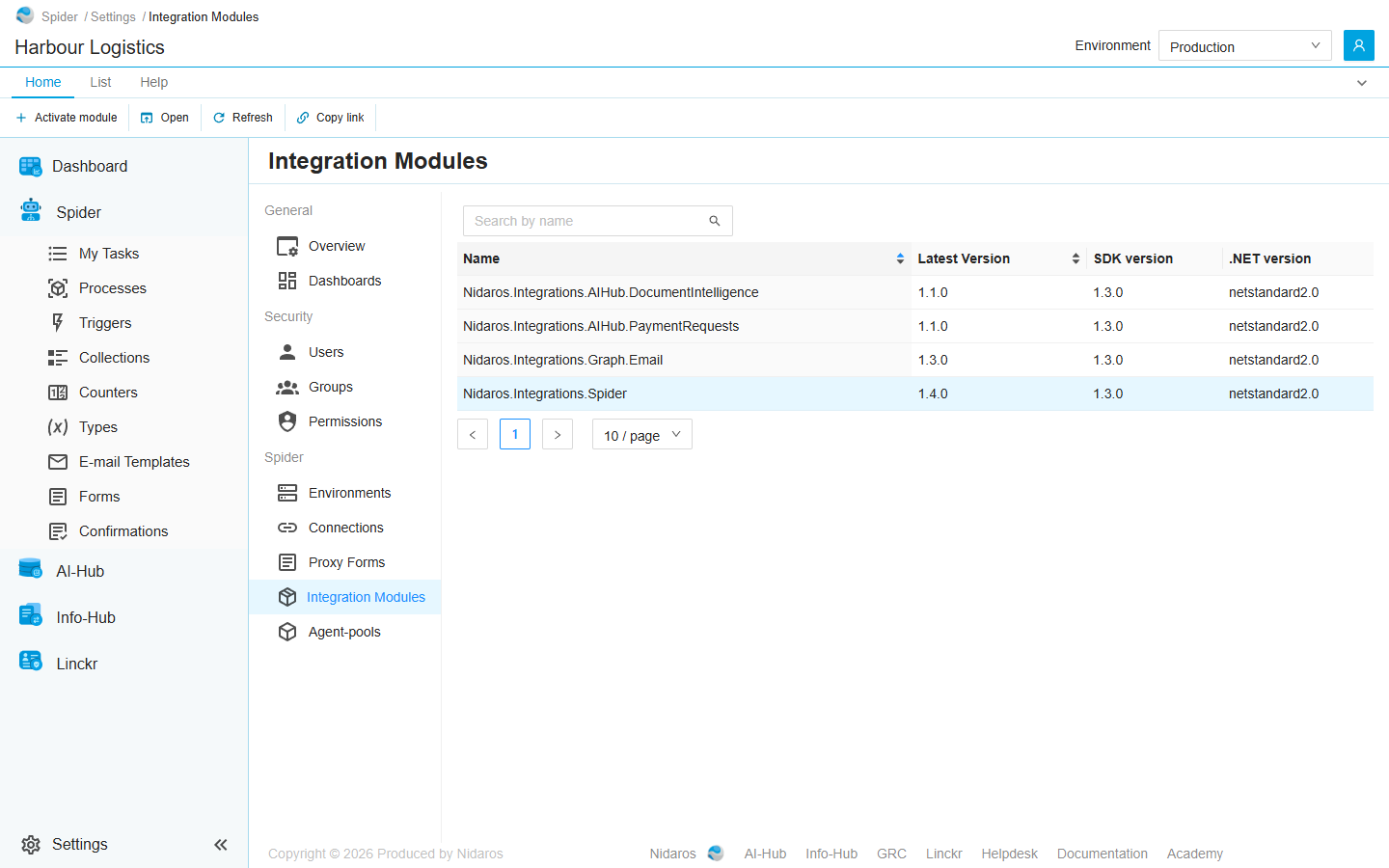
The list
| Column | Shows |
|---|---|
| Name | The module's name. |
| Latest Version | The newest version uploaded. |
| SDK version | The version of the Spider SDK the module was built with. |
| .NET version | The .NET it was built for. |
Type in Search by name to find a module, or click a column header to sort on Name or Latest Version.
Double-click a module, or select it and click Open, to see its latest version: see Integration Module.
Commands
| Tab | Group | Command | What it does | Disabled when |
|---|---|---|---|---|
| Home, List | New | Activate module | Activates another module for the organization: see Activate module. | |
| Home, List | Open | Open | Opens the selected module's page. | Nothing is selected. |
| List | Open | Open in new tab | Opens it in a new browser tab. | Nothing is selected. |
| Home, List | View | Refresh | Reads the list again. | |
| Home | Share | Copy link | Copies the link to the selected module, or to this page. |
A module can't be deactivated here.
Drawers and dialogs
Activate module
The modules uploaded to Spider that the organization hasn't activated yet, each with its summary. Click one to activate it: the drawer closes, and the module joins the list. Activation covers the module as a whole, every version included.
When every module is active already, the drawer says Every available integration module is already activated for this organization. When activating fails, Spider says Activation failed: The integration module couldn't be activated for this organization.
Related chapters
- Integration Module: a module's details, activities and versions.
- Connections: the connections of a module's connection types.
- Designer: where a module's activities are used.