
2.36.24
Environments
The organization's environments, such as Production and Test. You add, change and delete them here. What environments are for, and how the header's selector works, is in Environments, in Part I.
How to get there
- From the main menu: Settings › Environments, in the Spider group.
Permission
The page needs Manage organization, which also allows its commands. Every member can see the environments, in the header's selector, but not this page. See Permissions.
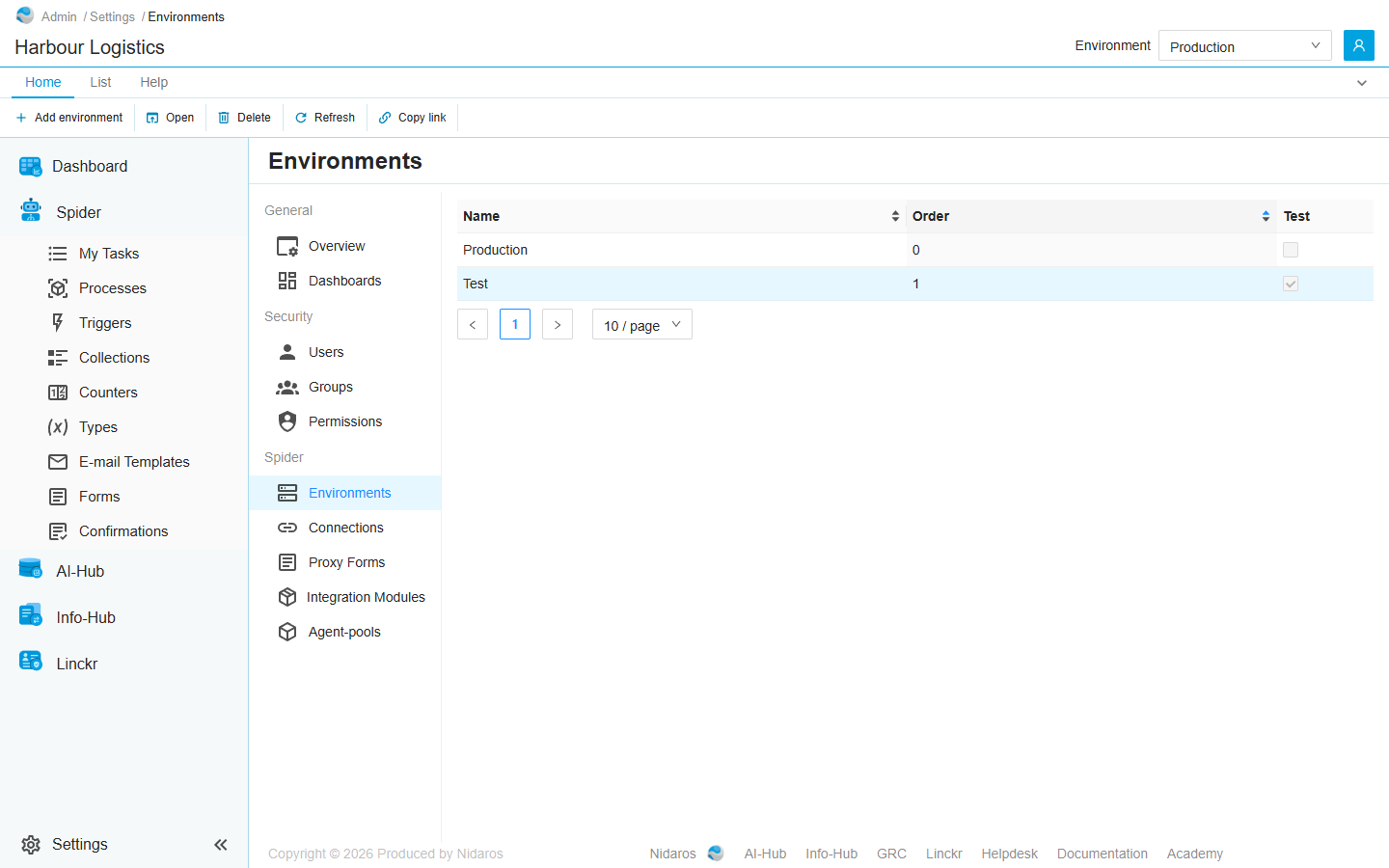
The list
| Column | Shows |
|---|---|
| Name | The environment's name, as the header's selector shows it. |
| Order | Its place among the environments. The list is in this order. |
| Test | Ticked for a test environment. |
Production is the first environment in this order that is not a test environment. See Production and test environments.
Double-click an environment, or select it and click Open, to see or change it. When a colleague adds, changes or deletes an environment, the list shows it by itself.
Commands
| Tab | Group | Command | What it does | Disabled when |
|---|---|---|---|---|
| Home, List | New | Add environment | Adds an environment: see Add environment. | |
| Home, List | Open | Open | Opens the selected environment: see Change Environment. | Nothing is selected. |
| Home, List | Manage | Delete | Deletes the selected environment, after asking. | Nothing is selected, or you may not delete this one. |
| Home, List | View | Refresh | Reads the list again. | |
| Home | Share | Copy link | Copies the link to this page. |
Drawers and dialogs
Add environment
- Name: the environment's name.
- Order: its place among the environments, from 0.
- Test: This environment is a test-environment.
- Description: what the environment is for.
Click Add, or Cancel. The header's selector offers the new environment straight away. A new environment has no settings for its connections yet: give them on Connections. When the environment can't be added, Spider doesn't say so: check the list afterwards.
Change Environment
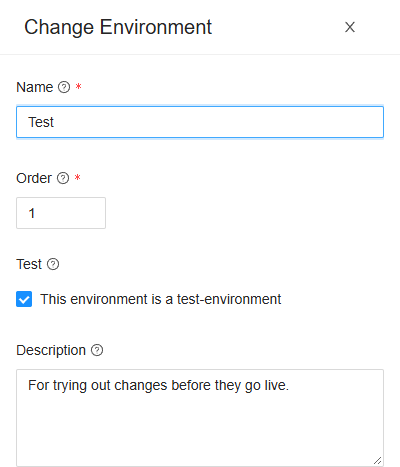
Open shows the same fields, filled in. Change them and click Change, or Cancel.
Changing the order or the Test box can make another environment production. What Spider holds without an environment, such as runs from before the organization had environments, then counts as the new production's.
When you may see the environment but not change it, the drawer is titled after the environment, shows everything read-only, and has only Close.
Delete Environment
Are you sure you want to delete this environment? Click Yes to delete it, or No. When the header's selector showed the deleted environment, it goes back to production.
Related chapters
- Environments, in Part I: what follows the header's selector.
- Connections: a connection's settings per environment.